This guide explains how to use the Approval System—a dual-control security feature for payment orders. Each transaction requires both submission by a Sub-user (Processor) and verification by an Approver to proceed, minimizing operational risk.
1. Activate Sunrate approval system
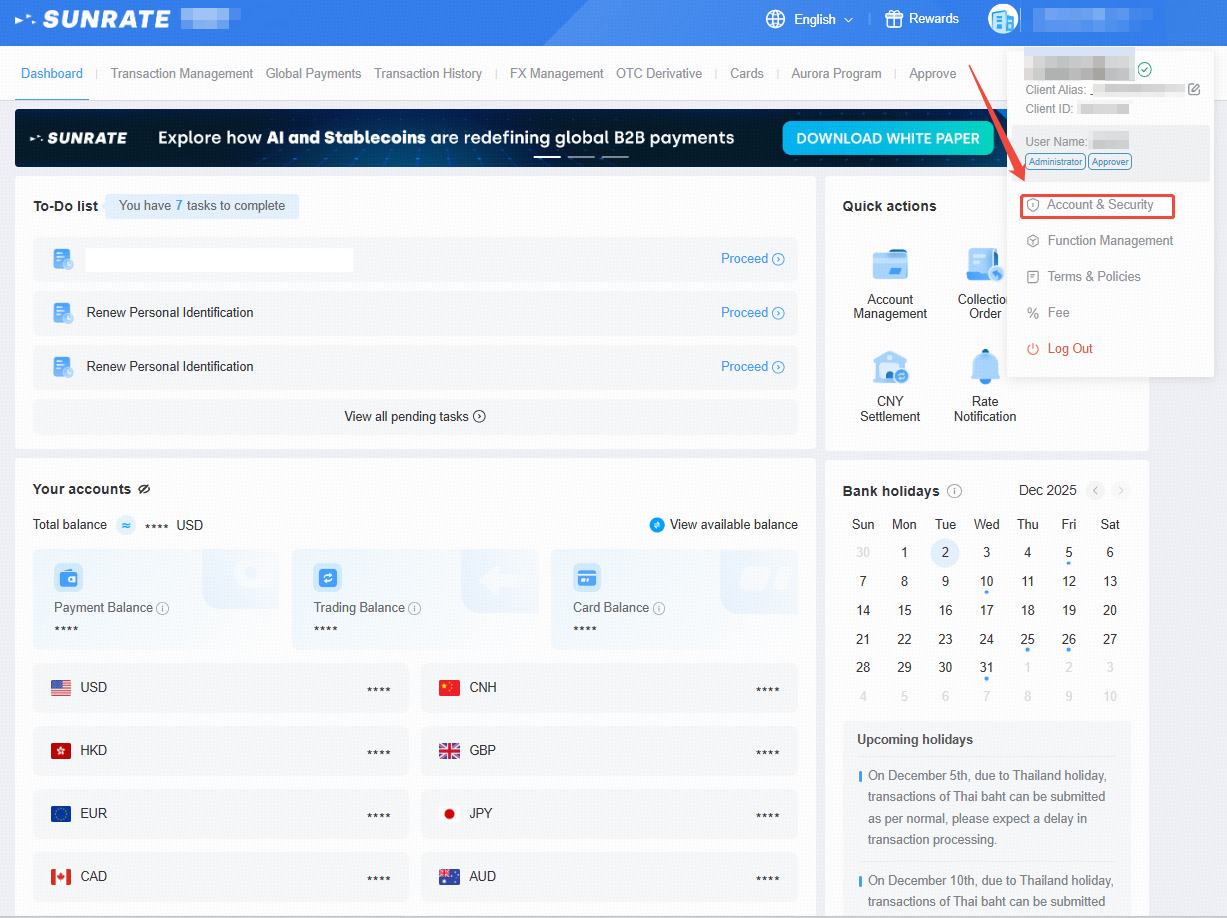
Log in to the Sunrate platform and navigate to the top right hand corner before clicking on Account & Security in the dropdown menu.
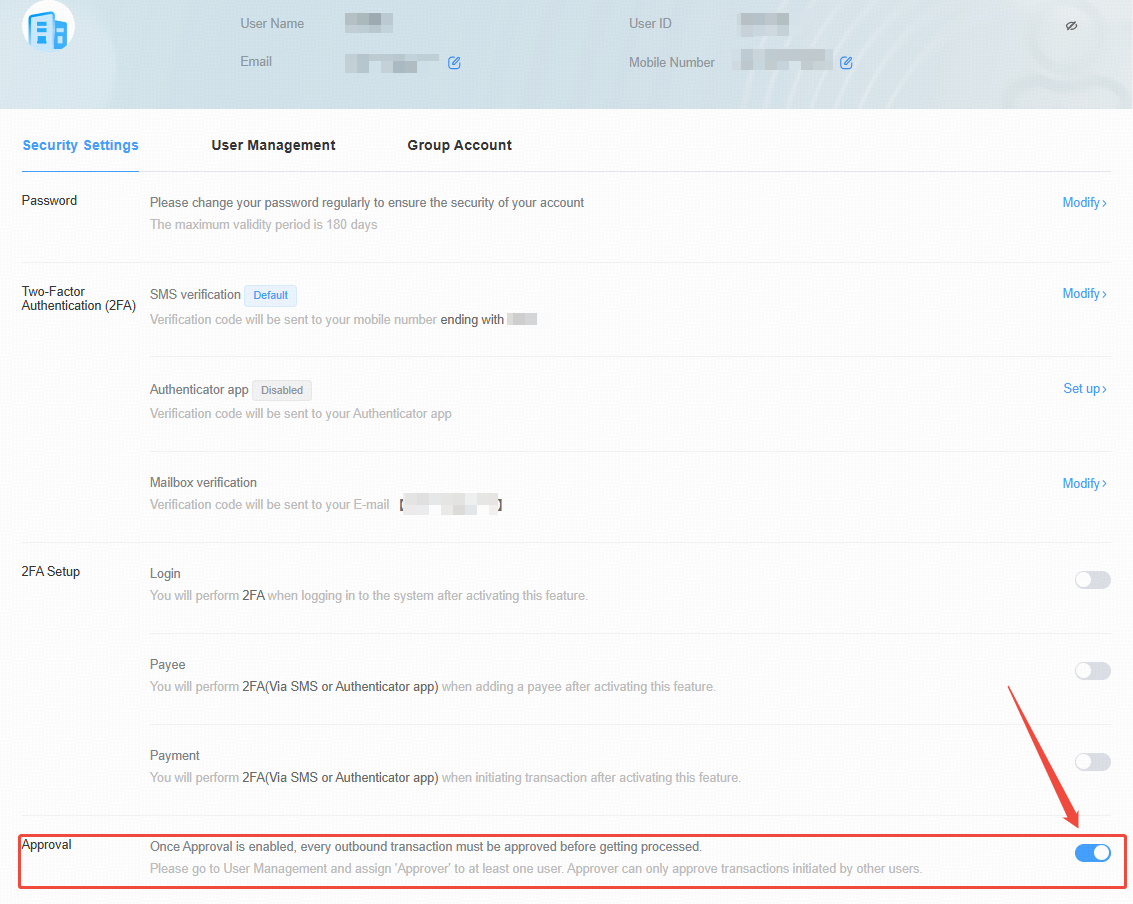
Click the button below to enable the Sunrate Approval System.
*Please go to User Management and assign 'Approver' to at least one user at first. The user must complete activation. Approver can only approve transactions initiated by other users.
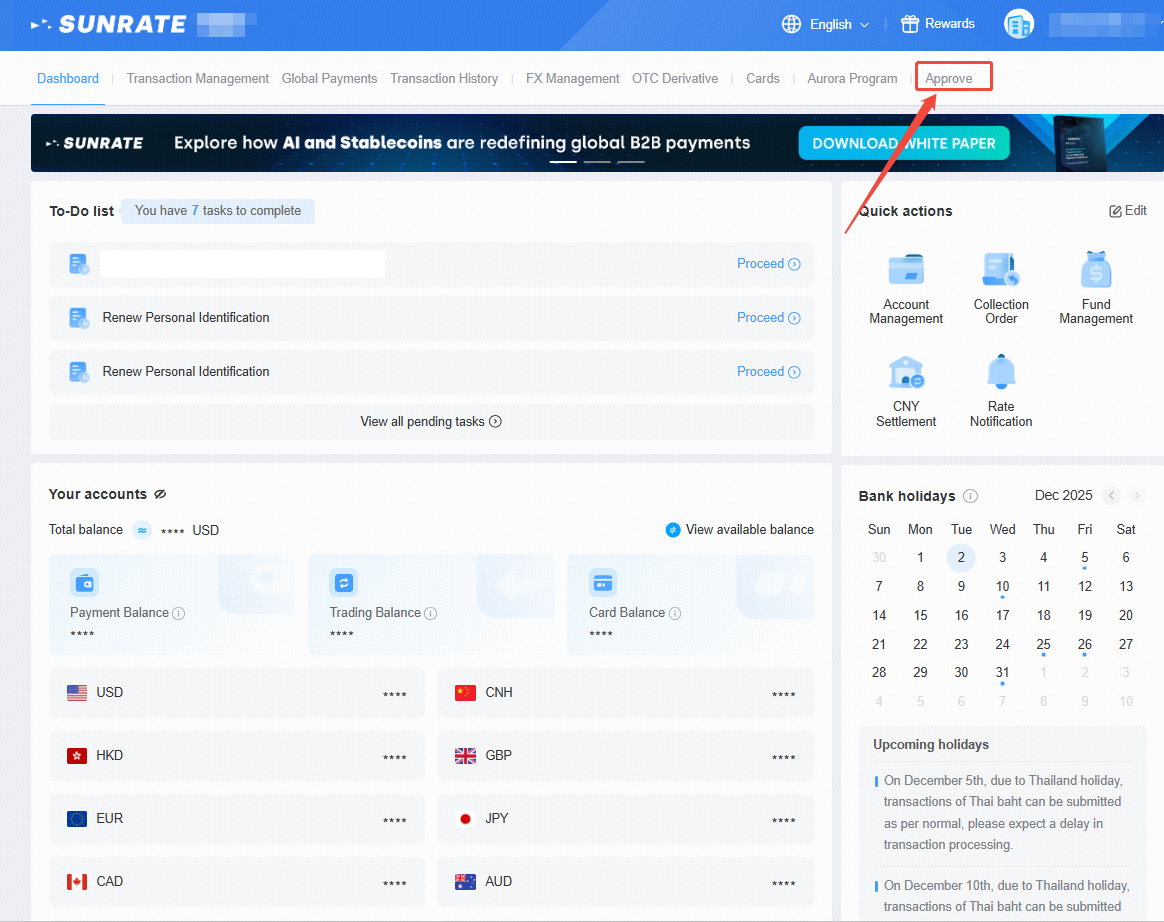
2. Access the Approval System using your Approver Account for Sunrate
3. Make Transactions via FX & Payment Review
Attention: The transaction initiator and the approver cannot be the same person.
Sub-user makes payments. Please follow the steps of How to make payments to a Third Party (General Version) ?
Approver review the transaction.
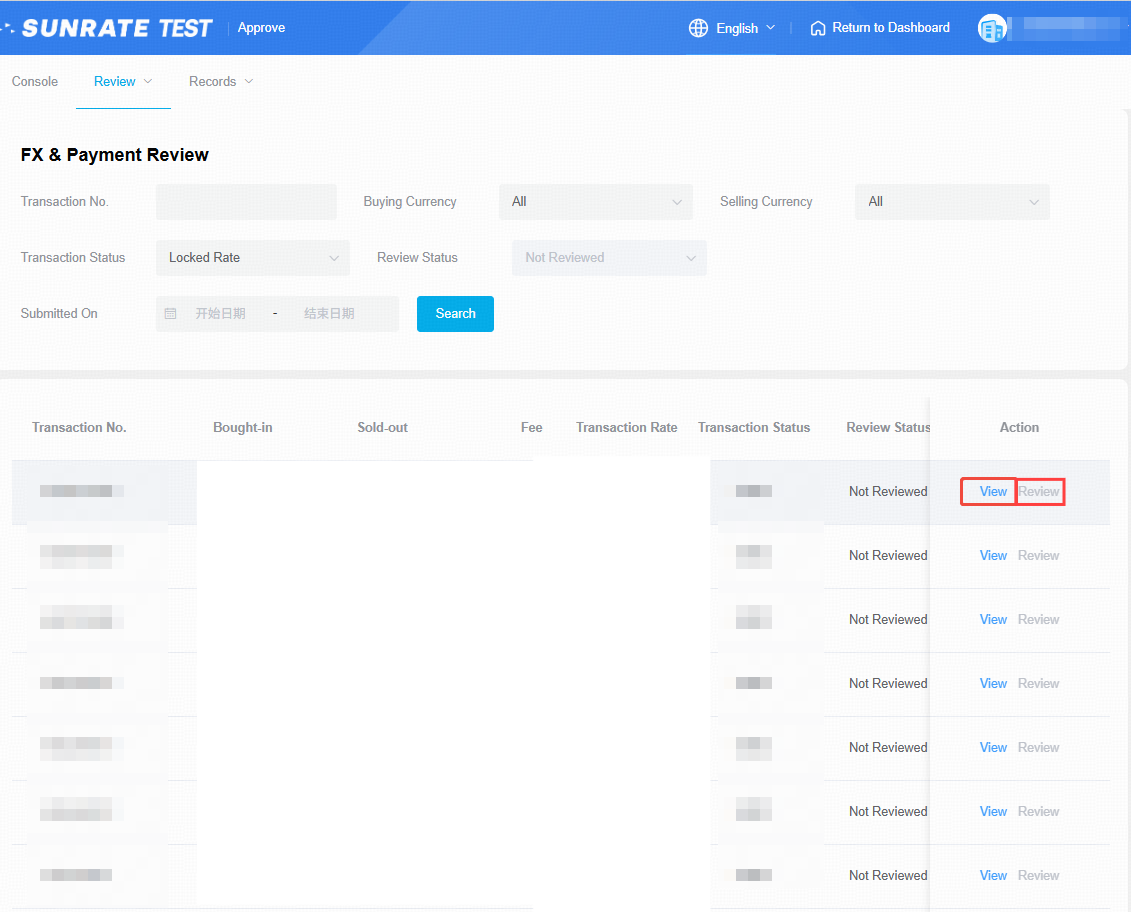
If there are no objections to the transaction, select Approve. The transaction will then pass the review successfully. Once the sub-user has uploaded the required supporting documents, the transaction will proceed to post-verification payment processing.
In the event that there are objections to the transaction, select Reject in the Review Information module. The transaction will be returned to the sub-user to amend the payee information and before resubmission.
*Please note: After the transaction has been rejected, only the sub-user is allowed to re-select the payee. This locked-forex transaction will not be cancelled.