View Transaction Records
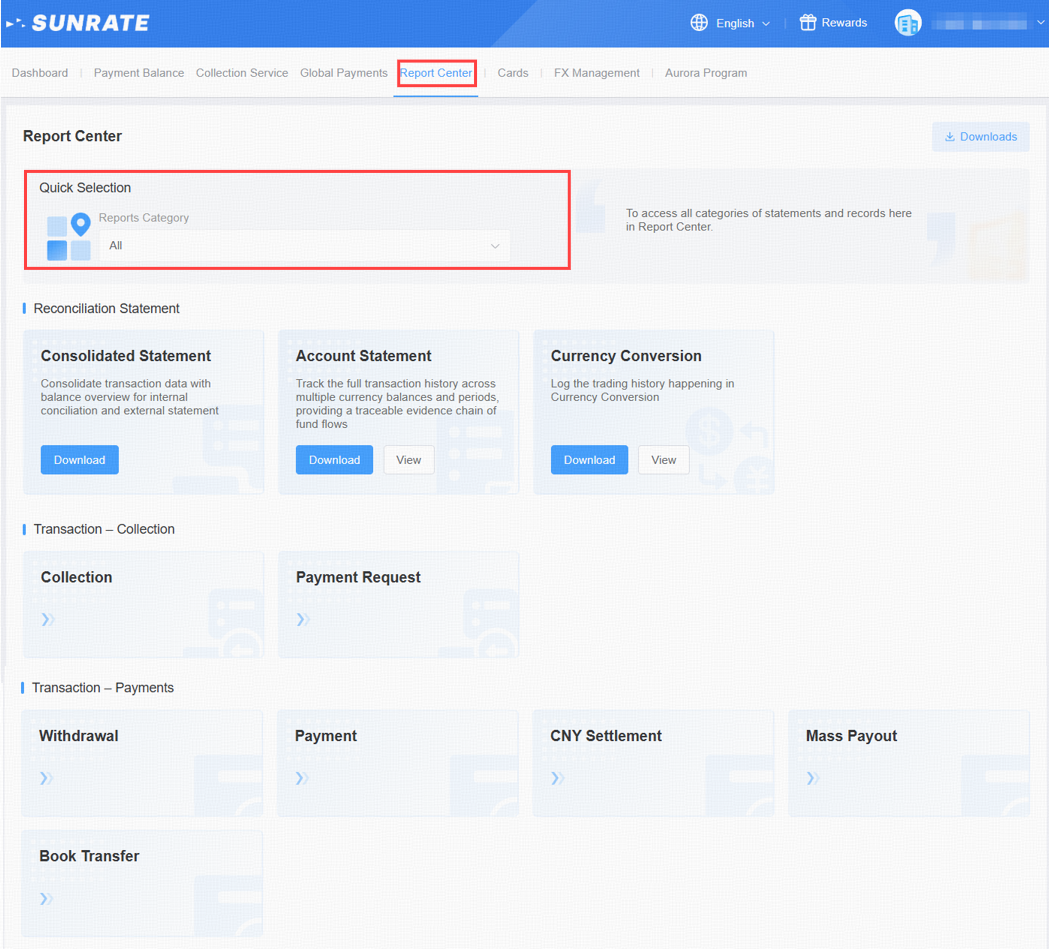
Click on the [Report Center] to quickly select reports for your required scenarios.
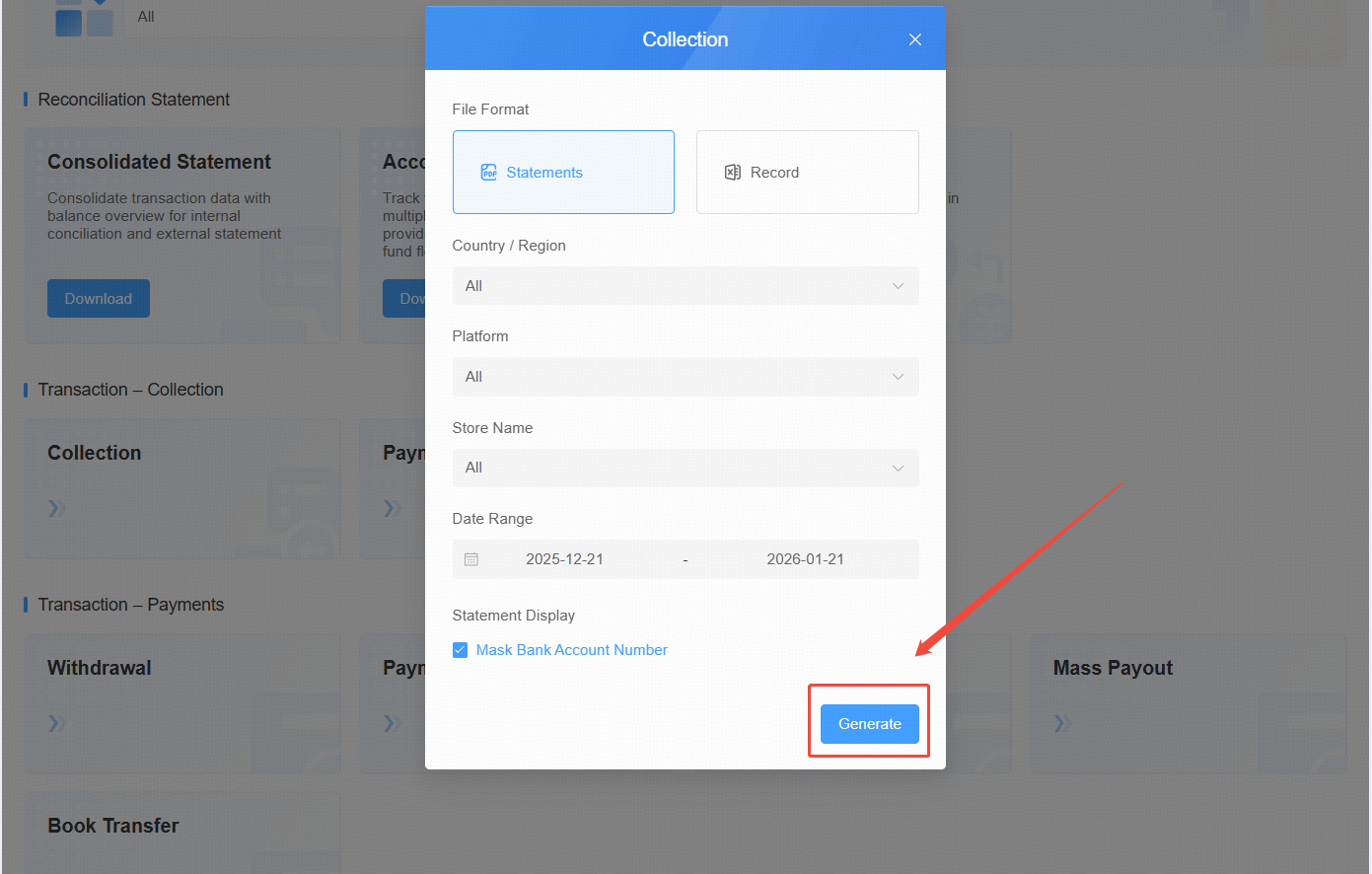
To download your transaction records, click the [Download] button. The Collection Report is provided here as an illustrative example.
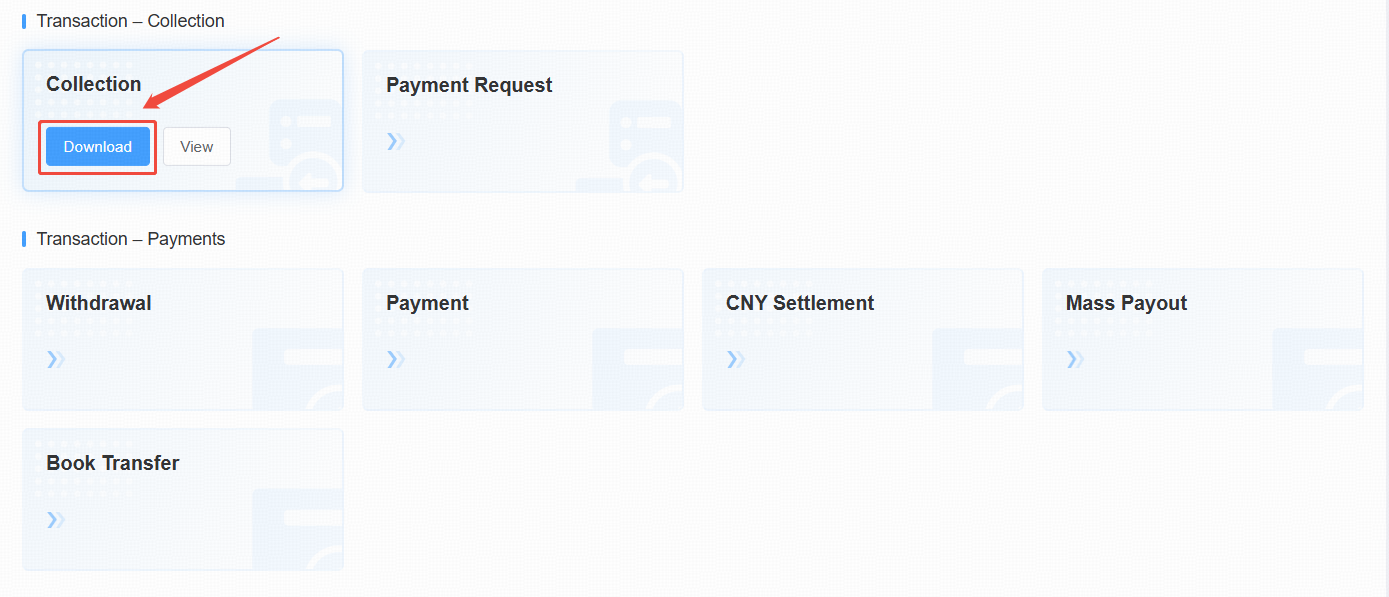
Select the desired record type, verify the information, and then click [Generate].
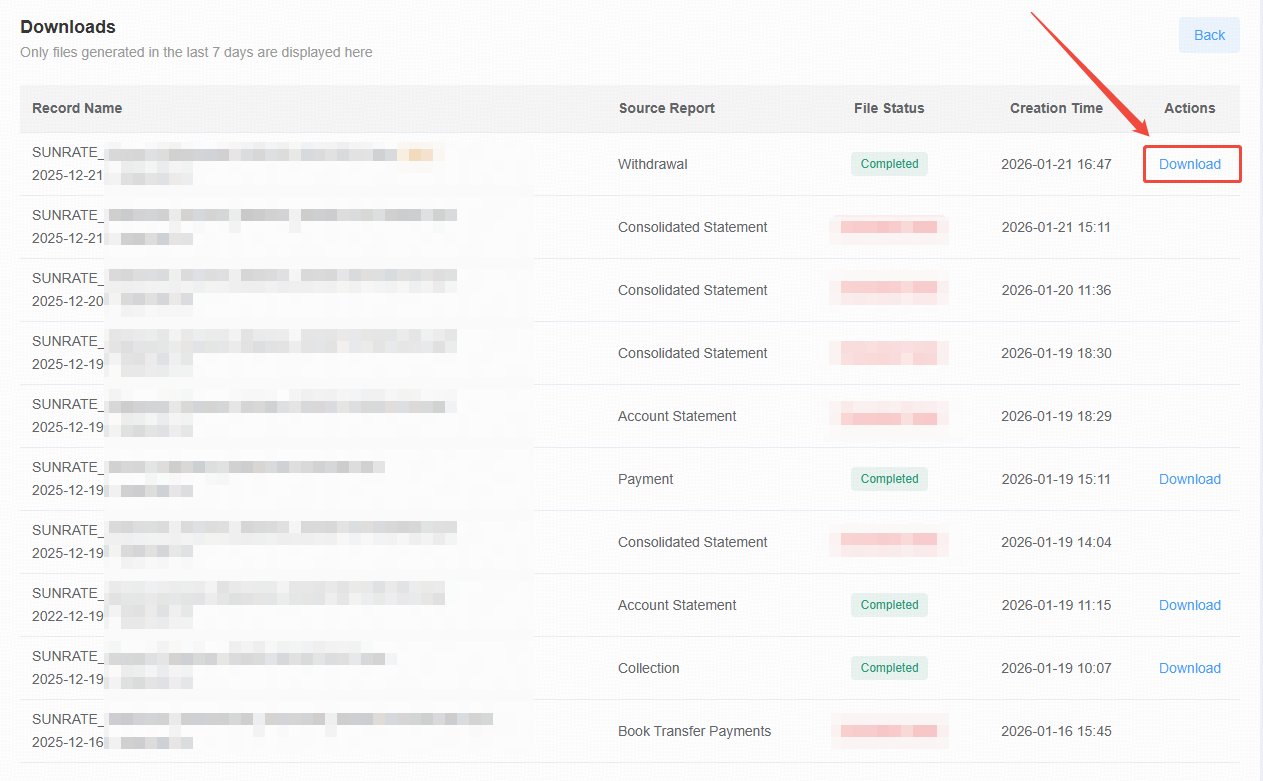
After the file is generated, you will be redirected to the download center.
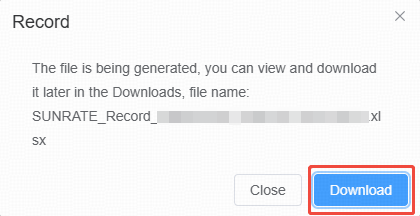
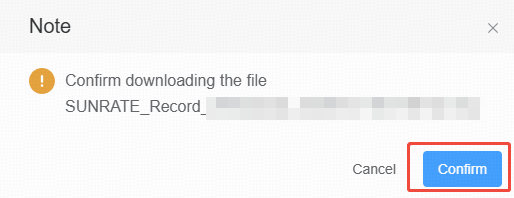
Click [Download] to save the corresponding file to your device.