What Is Two-Factor Authentication (2FA)?
Two-factor authentication (2FA) is an additional layer of security designed to protect your account. In addition to entering your password, you will be required to enter a one-time verification code to verify your identity and help keep your account secure.
How to Enable Two-Factor Authentication (2FA)?
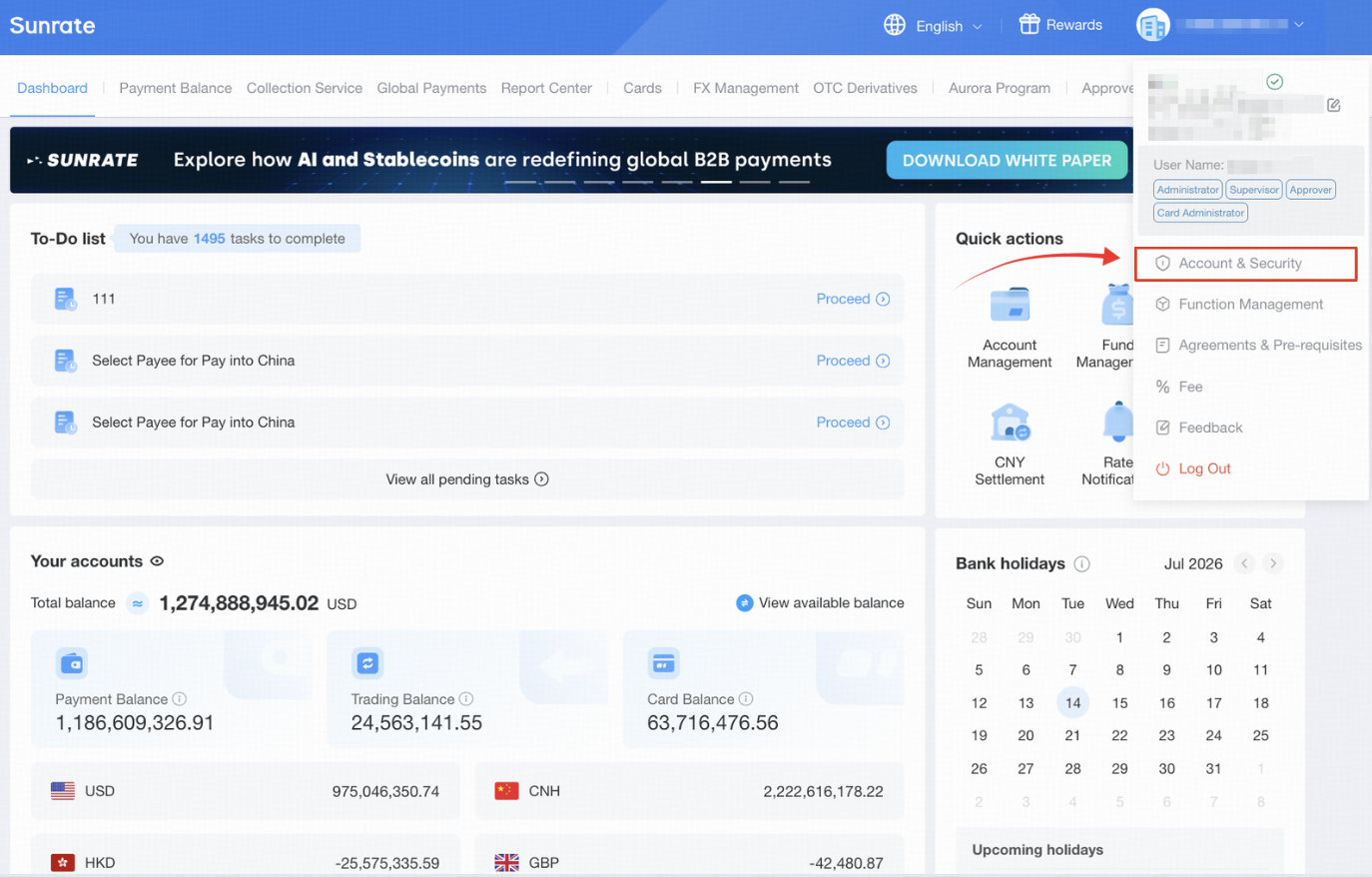
Click on your username in the top-right corner before selecting Account & Security from the drop-down menu.
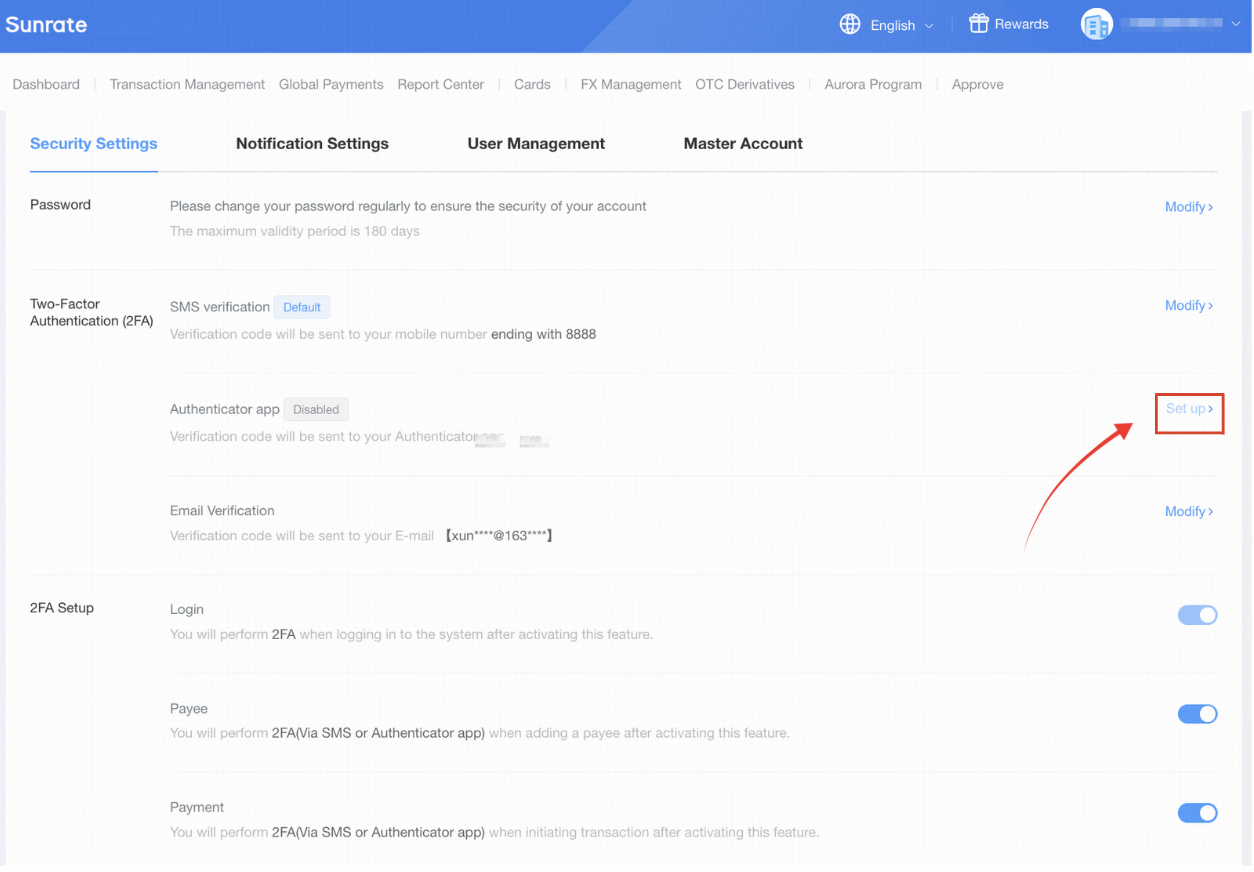
Next, click on Set Up in the Two-Factor Authentication (2FA) section.
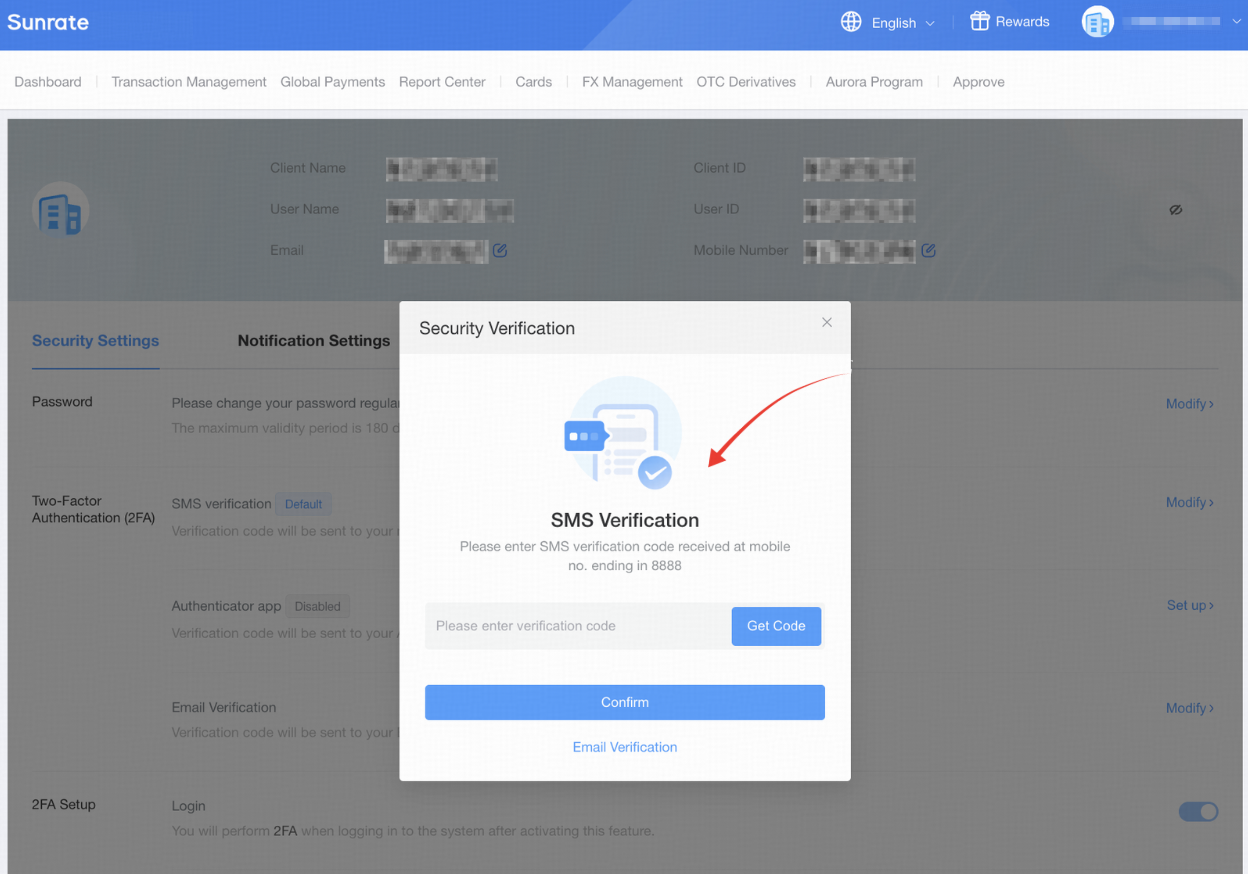
Follow the on-screen instructions to add and configure your authenticator app.
FAQs (Frequently Asked Questions)1. How can I change the phone or email?
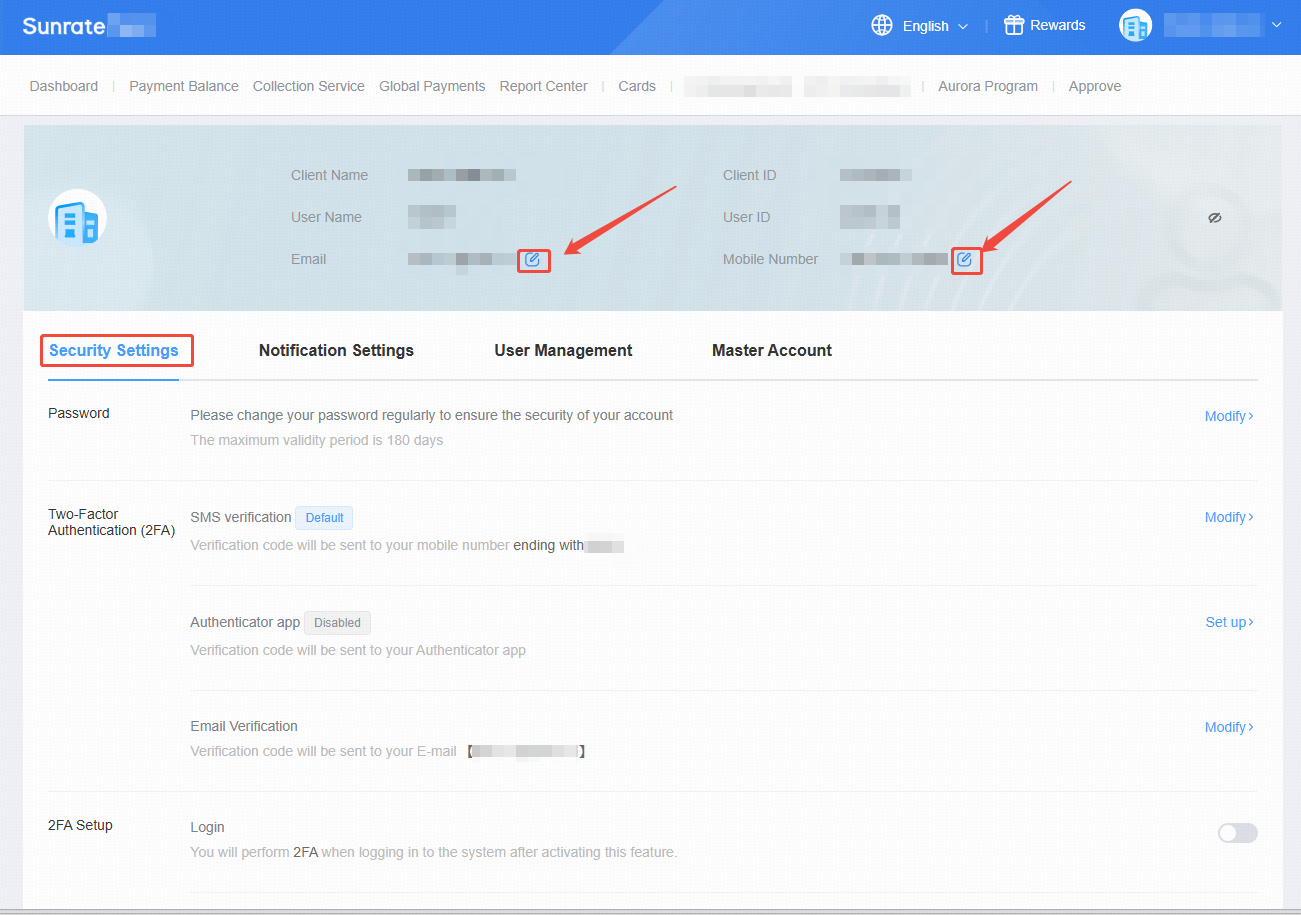
If you need to update your registered email address or phone number, please click the "Edit" button next to the corresponding field in your account settings.
However, if you are unable to access both your registered email and phone number, please follow the steps below:
Download the required request form using the link provided below.
Complete the form and send it as an attachment to op@sunrate.com using your original registered email address (if still accessible) or as instructed in the form.
Once we receive your request, our support team will review it and get back to you as soon as possible.